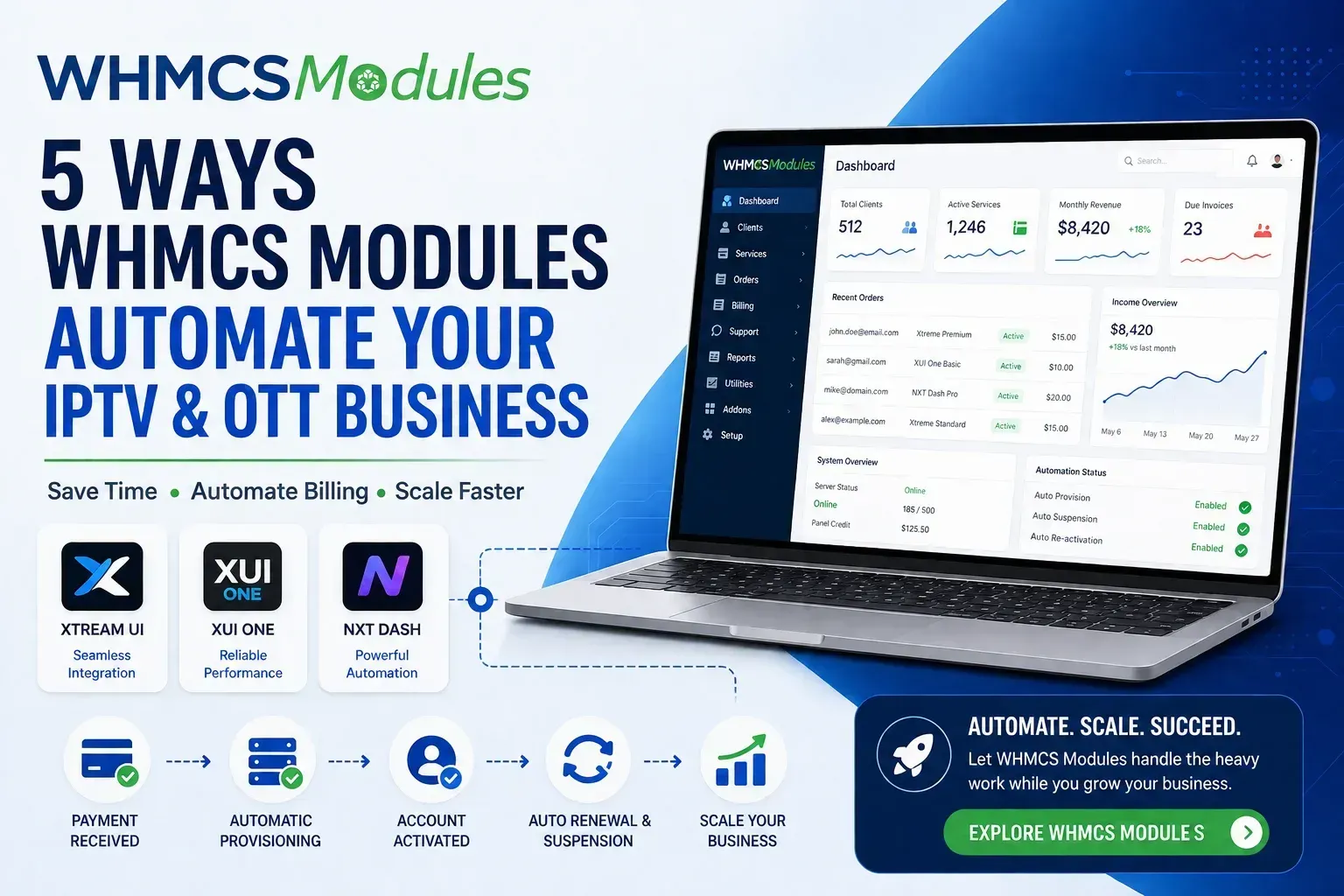
Here are five ways the right WHMCS Modules can take that weight off your shoulders and why so many resellers eventually make the switch.
1. Instant, Automatic Account Activation
Every minute a paying customer waits for their account is a minute they might spend looking at a competitor instead.
What changes
Once a WHMCS module is connected to your panel whether it’s Xtream UI, XUI One, or NXT Dash payment and provisioning happen together. A customer pays, and their account is created automatically with the right package and duration. No logging in manually. No delays. No lost sales because you were asleep or busy with something else.
Why it matters to you: faster activation means happier customers, fewer refund requests, and more 5-star reviews.
2. Renewals and Suspensions That Handle Themselves
Chasing unpaid invoices is exhausting. So is remembering to reactivate someone the moment they finally pay.
Automatic suspension
Unpaid account? It gets suspended automatically no manual check-ins needed.
Automatic reactivation
Paid on time? Access is restored instantly, without you doing a thing.
This one feature alone is often the difference between a business that runs smoothly at 200+ customers and one where the owner is burned out by month three.
3. Bulk Management for When You’re Ready to Scale
Managing ten customers by hand is manageable. Managing a hundred one-by-one is not.
With the right module, you can:
- Extend multiple subscriptions in a single action
- Change packages for groups of customers at once
- Handle renewals in bulk during promotions or price changes
If you’re serious about growing past your first 50–100 customers, this isn’t a nice-to-have. It’s the tool that keeps growth from turning into burnout.
4. Everything in One Place
Switching between your WHMCS dashboard and your panel’s login every time a customer messages you wastes time you don’t have.
A properly built module brings key panel information account status, credits, active connections directly into your WHMCS admin area. That means:
- Faster support responses
- Fewer login switches
- Early warnings before you run low on credits and risk an outage
5. Flexible Payment Options for a Global Customer Base
Your customers are everywhere, and they all have different preferences for how they pay. The right WHMCS setup lets you accept the payment methods your market actually wants without building a separate checkout for every region.
What this gets you:
- More completed sales, fewer abandoned carts
- One unified invoicing system, no matter the currency
- A more professional, trustworthy checkout experience
Why Resellers Choose whmcsmodules.com
- Modules built specifically for IPTV/OTT panels — not generic, one-size-fits-all billing tools
- Simple setup with clear instructions, no coding required
- Ongoing support and updates as panels evolve
- Compatibility with the payment gateways your customers actually use
Ready to Stop Managing Everything By Hand?
You don’t need to overhaul your business to fix this — most resellers have their module installed and running the same day they buy it.
Explore the modules built for your panel at whmcsmodules.com and get your billing running on autopilot, so you can spend your time growing your business instead of babysitting it.
FAQs
Q:What is a WHMCS module for IPTV/OTT panels?
It’s an integration that connects your WHMCS billing system directly to your IPTV or OTT reseller panel (like Xtream UI, XUI One, or NXT Dash), so account creation, renewals, and suspensions happen automatically based on payment status.
Q:Do I need coding knowledge to install one?
No. Most modules are built for straightforward installation through the WHMCS admin area, with configuration handled through simple settings fields not custom code.
Q:What happens if a customer’s payment fails after their account is already active?
The module can automatically suspend the account on the panel once the invoice goes overdue, and reactivate it the moment payment is received no manual intervention needed.
Q:How long does it usually take to get a module up and running?
Most resellers get their module installed and functioning within a few hours, often the same day they purchase it assuming they already have API access details from their panel provider.