Running an IPTV business means juggling panels, customers, payments and renewals. Doing it by hand works for ten customers. At a hundred, it starts to break. That is where XUI One WHMCS billing comes in. This guide explains what it is, how it works for each role, and what to check before you choose a setup.
What Is the XUI One IPTV Panel?
The XUI One IPTV panel is a management system for IPTV streaming services. Through it, an owner can create packages, add lines (customer accounts), set expiry dates and manage resellers.
The panel handles the technical side. It does not handle invoices, payment gateways, tax or support tickets. That gap is why many owners connect it to a billing platform.
What Is the XUI One Reseller Panel?
The XUI One reseller panel is the part of the system where resellers log in to work with their own customers. Depending on the permissions the owner sets, a reseller can create lines, renew them, run trials and check their credit balance.
The panel is good at giving resellers access, but it does not collect payments or send invoices on its own. Billing software fills that gap.
What Is WHMCS, and Why Connect It?
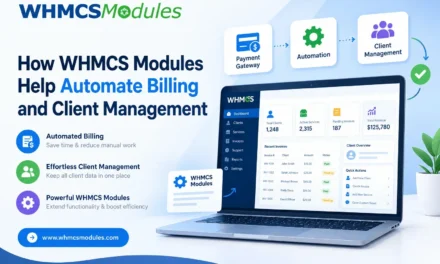
WHMCS is a billing and client management platform used widely by hosting companies and other online service providers. It handles invoicing, recurring payments, a customer portal and a ticket system.
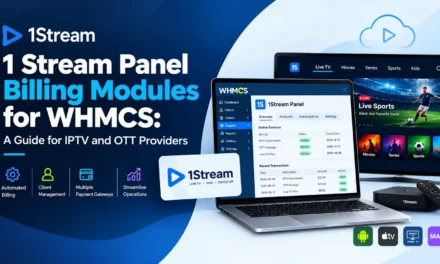
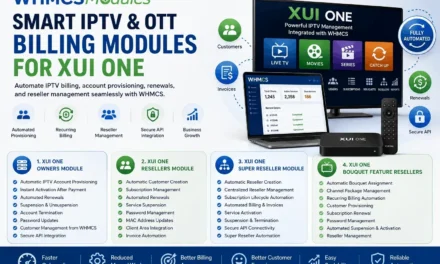
An XUI One WHMCS module links the two. When a customer pays, WHMCS tells your XUI One IPTV panel to create, renew, suspend or terminate the line automatically, with no copying details between screens.
How XUI One WHMCS Billing Works
A typical flow looks like this:
- A customer picks a plan on your WHMCS order page.
- They pay through a gateway such as PayPal or Stripe.
- The module creates the line in XUI One using the matching package.
- Login details are emailed to the customer.
- Before expiry, WHMCS sends renewal invoices. Unpaid accounts are suspended automatically.
Who Benefits and How
For Owners
Owners get a full picture of revenue, active lines, churn and reseller performance. Automation also cuts support load, because customers can renew and view invoices themselves. You can also set clear package prices and rules for what resellers may sell.
For Super Resellers
Super resellers sit in the middle. They buy credits or lines from the owner and manage sub-resellers. Good billing helps them:
- Track credit balances and sales in one place
- Set separate pricing for sub-resellers
- Avoid disputes with clear invoice records
For Resellers
Resellers mostly want fast activations and simple renewals. Combining the XUI One reseller panel with a billing portal lets them take payment, activate a line within minutes and send reminders without a spreadsheet.
Key Features to Look For
Not every module offers the same things. Check for:
- Automated provisioning: create, suspend, unsuspend, terminate
- Package mapping: link WHMCS products to XUI One bouquets and packages
- Reseller credit handling: credit top-ups and deduction rules that match your XUI One reseller panel setup
- Renewal and trial support: extend lines and offer short trials
- Client area access: customers see their line details and playlist information
- Clean logs: so you can trace failed API calls
Pros and Cons of Automated Billing vs. Manual Management
|
Approach |
Pros |
Cons |
|
WHMCS module |
Saves time, fewer errors, scalable, professional client portal |
Setup effort, licensing cost, needs maintenance |
|
Manual billing |
No extra software cost, full control |
Slow, error-prone, hard to scale, late renewals |
|
Third-party billing tools |
Simple to start |
Often lack deep XUI One integration |
For small teams, manual billing can be fine at first. Once you pass roughly a few dozen active customers, delayed renewals and missed payments usually cost more than automation does.
Common Mistakes to Avoid
- Mismatched packages. If a WHMCS product points to the wrong XUI One package, customers get the wrong plan.
- Skipping backups. Always back up both WHMCS and your IPTV panel before installing a module.
- Ignoring API security. Restrict API access by IP and use strong credentials.
- Weak payment follow-up. Set clear reminder emails and a grace period.
A Note on Compliance
Billing tools are neutral, but the content you sell is not. Make sure you hold proper licences or rights for the channels and media you distribute. Operating without them can lead to payment gateway bans, hosting suspensions and legal trouble. Payment providers are especially strict about this, so verify before you build your business around them.
How to Choose the Right Module
Ask these questions before buying:
- Is it compatible with your current WHMCS and XUI One versions?
- Does it work with both the XUI One IPTV panel and the XUI One reseller panel?
- Does the developer provide updates and support?
- Is there documentation, or a demo you can test?
- Are the reviews from real users?
Providers like WHMCS Modules offer integrations in this space, so compare their features, update history and support against other options before deciding.
Final Thoughts
XUI One WHMCS billing turns a manual, time-hungry process into a steady, automated one. Owners gain control, super resellers gain clarity, and resellers gain speed. Start by listing your needs, test on a staging site, then go live once provisioning and renewals work smoothly.