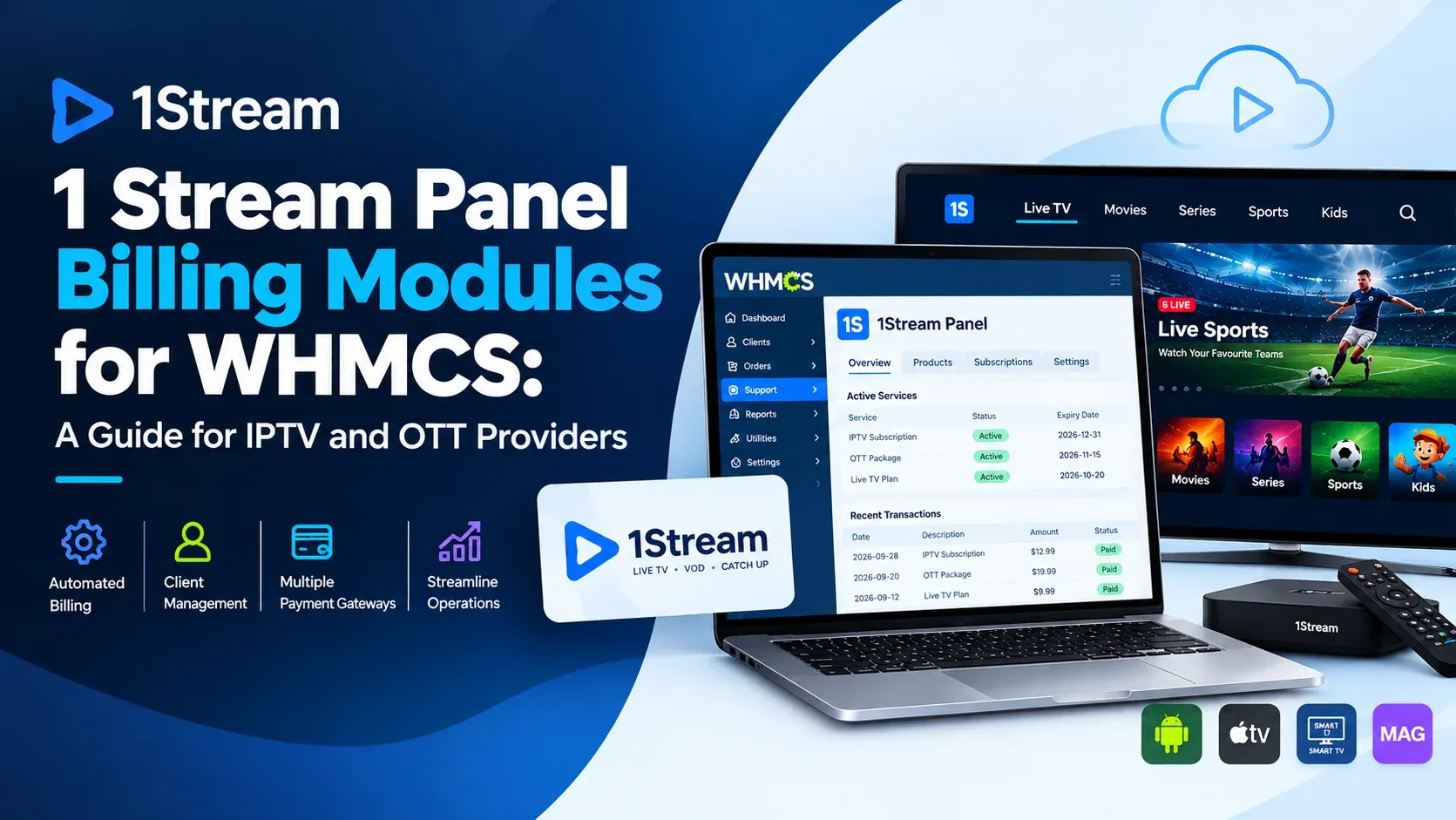
Selling streaming subscriptions means handling orders, payments, renewals, and access, often across separate tools. A 1 Stream Panel billing module for WHMCS aims to connect those tasks in one workflow. This guide covers how that setup works and what to evaluate before choosing one.
Key Takeaways
- A 1 Stream Panel manages subscriber lines and packages. WHMCS manages orders, invoices, and client accounts.
- A billing module links them so payment events trigger account actions automatically.
- Look for provisioning, suspension, reactivation, termination, and a client-area view.
- Confirm compatibility with your WHMCS version and your panel’s API before buying.
- Only offer content you are properly licensed to distribute.
What Is a 1 Stream Panel and How Does It Connect to WHMCS?
A 1 Stream Panel is a management panel used by IPTV and OTT providers to create and manage subscriber lines, packages, and access. Linked to WHMCS through a billing module, it lets orders and invoices drive account actions, so subscriber access follows payment status instead of manual updates.
WHMCS is a client management and billing platform for hosting and digital service businesses. Its module system lets developers connect external platforms to its product, order, and invoice workflows. A panel module uses that mechanism. Exact capabilities depend on the panel version and the module vendor, so check the vendor’s documentation for what is supported.
Why Do IPTV and OTT Providers Need a Billing Module?
Without a billing module, providers create lines, send credentials, and suspend overdue accounts by hand. A module automates those steps through WHMCS order and invoice events. This reduces repetitive admin work, limits human error, and keeps each subscriber’s access aligned with what they have actually paid for.
Clients benefit too. They can order, pay, renew, and check service status from one client area instead of waiting on a support reply.
What Features Should a 1 Stream Panel Module Include?
A good module covers the whole subscriber lifecycle: creating a line after payment, suspending it when an invoice goes overdue, reactivating it on payment, and terminating it on cancellation. It should also give clients a clear service view and give admins manual controls when automation needs an override.
Features worth checking for:
- Automatic line creation after a paid order
- Suspend, unsuspend, and terminate actions tied to invoice status
- Package and plan mapping between WHMCS products and panel packages
- Client-area display of service details and status
- Admin-side controls and activity visibility
- Documentation and updates for new WHMCS versions
How Does Automated Provisioning Work?
Provisioning follows the standard WHMCS order flow. A client orders a plan, pays the invoice, and the module sends a command to the panel to create or enable the line. The same logic runs in reverse for overdue or cancelled services, restoring or removing access automatically.
- The client selects a plan and places an order.
- WHMCS generates an invoice.
- The payment gateway confirms payment.
- The module creates or activates the line in the panel.
- An overdue invoice triggers suspension, and payment restores access.
- Cancellation triggers termination.
How Do Different Billing Approaches Compare?
Providers usually choose between manual handling, a generic WHMCS setup with custom scripts, and a dedicated panel module. The best fit depends on subscriber volume, technical skill, and how much ongoing maintenance you can take on.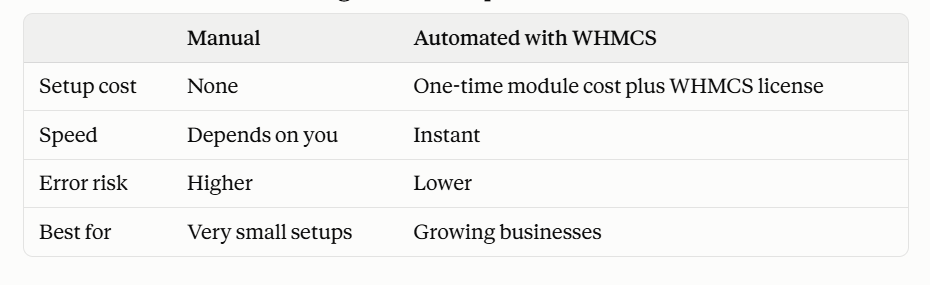
What Should You Check Before Choosing a Module?
Start with compatibility: confirm the module supports your WHMCS version, PHP version, and the panel’s API. Then review the vendor’s support channels, update history, and documentation. Test everything in a staging environment first, so you can see how provisioning and suspension behave before real customers are affected.
Compliance matters as well. Panels and billing platforms are tools, and you are responsible for ensuring that any content you provide is licensed and that your service follows applicable terms and local regulations.
Frequently Asked Questions
What is a 1 Stream Panel?
It is a management panel for IPTV and OTT providers to handle subscriber lines, packages, and access from a central dashboard.
Can WHMCS automate 1 Stream Panel subscriptions?
Yes, with a compatible module. It connects WHMCS orders and invoices to panel actions such as line creation and suspension.
Do I need coding skills to use a billing module?
Usually not for basic setup, but you should be comfortable installing WHMCS modules and configuring products. Vendor documentation helps.
Is a billing module worth it for a small service?
It depends on your subscriber count and how much time manual billing takes. Even small providers often benefit from automated renewals and suspensions.
What should I test before going live?
Test ordering, payment, activation, overdue suspension, reactivation, and cancellation in a staging environment