
If you run an IPTV or OTT business, you know the routine. A payment arrives, and you log into the panel to create an account. Another invoice goes unpaid, and you remember to suspend the line a few days late. A customer forgets their password and messages you at midnight.
Each task takes only a few minutes. Together they eat hours every week, and one missed step can cost you money or a customer. This is where Xtream UI billing automation with WHMCS helps.
What Is Xtream UI Billing Automation?
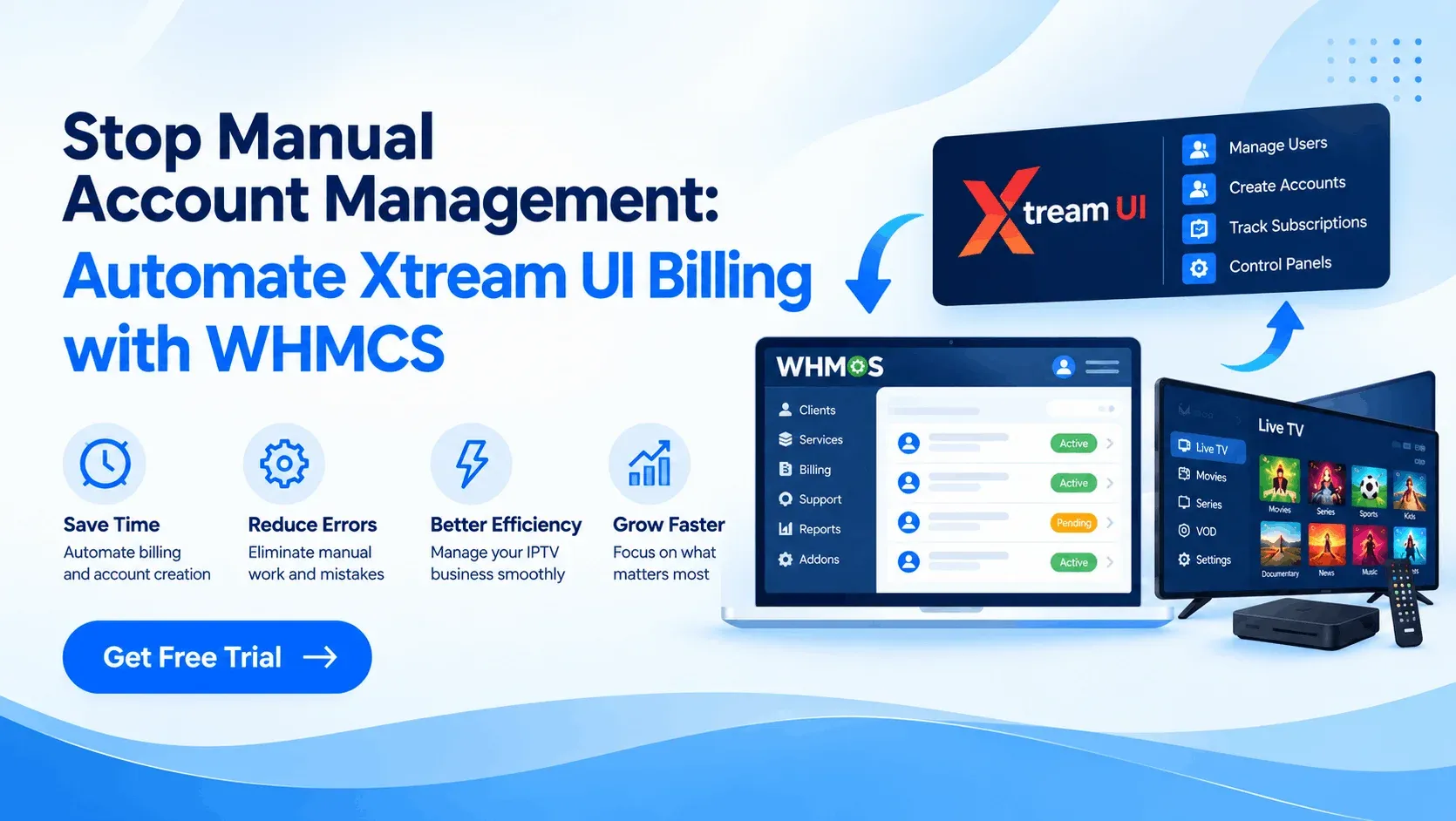
Xtream UI is a panel used to manage IPTV users, lines, resellers, and bouquets (channel packages). WHMCS is a billing and client management platform. It handles invoices, payments, support tickets, and a client area.
Automation connects the two. When something happens in WHMCS, such as a paid invoice, an overdue bill, or a cancelled service, the matching action happens in Xtream UI without you touching it.
Why Manual Account Management Hurts Growth
Doing everything by hand works when you have 20 customers. At 200, it starts to break. Common problems include:
- Delayed activations. Customers pay and then wait for you to wake up.
- Missed suspensions. Unpaid users keep watching for free.
- Human errors. Wrong username, wrong package, wrong expiry date.
- Support overload. Simple password and MAC address changes fill your inbox.
- Limited scalability. More customers means more admin hours, not more profit.
Manual vs. Automated Billing: A Fair Comparison
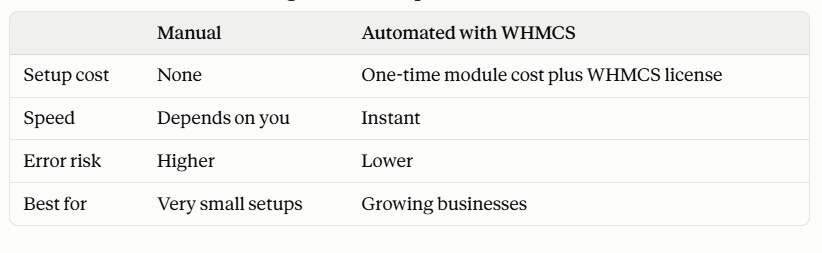
Pros of manual management: no extra cost, full control, easy for a handful of users.
Cons: slow, hard to scale, and it depends on one person being available.
Pros of automation: it saves time, cuts mistakes, and gives customers instant service.
Cons: you need WHMCS installed and configured first, and there is a small learning curve during setup.
What a Good Xtream UI Billing Module Should Do
Whatever tool you pick, check that it covers the basics:
- Automatic account creation after payment
- Automatic suspension and unsuspension based on invoice status
- Automatic termination when a service is cancelled
- Client Area controls for passwords and MAC addresses
- Reseller support, if you sell through others
- Manual override, in case you need to step in
Which Module Fits Which Business?
Not every provider needs the same thing. WHMCS Modules offers four Xtream UI modules, each built for a different role.
For Panel Owners
The Owners edition ($199, one-time) covers automatic account handling plus a full reseller management system. You can add resellers, sell and assign credits, and create reseller services from inside WHMCS.
For Super Resellers
The Super Reseller edition ($199, one-time) is simpler. It focuses on user account automation and Client Area controls, without owner-level tools.
For Standard Resellers
The Resellers edition ($99, one-time) is the most affordable. It supports both automatic and manual account management, which suits smaller operations that want flexibility.
For Bouquet-Based Resellers
The Bouquet edition ($149, one-time) adds bouquet-based service management. It suits resellers who sell different channel packages at different prices.
A Simple Example
Say you sell a monthly IPTV plan. Here is how one customer’s month looks with automation:
- The customer pays online, and WHMCS creates their Xtream UI account within moments.
- Next month, the invoice goes unpaid, so the account is suspended automatically.
- The customer pays late, and the account is unsuspended.
- The customer changes their MAC address in the Client Area, so you never get a support message.
You did nothing in that entire cycle. Multiply it by a few hundred customers and the saving is clear.
Things to Check Before You Buy
- Do you already run WHMCS? These modules need it installed and set up properly.
- Is there a free trial? Each of these modules offers one, so test it on your own Xtream UI panel first.
- Which role are you? Buying the wrong edition means paying for features you won’t use.
- Payment model: these modules are priced as a one-time purchase, which is worth comparing with subscription-based alternatives.
Also read reviews carefully. The modules above each show a 5.0 rating, but with only one review each. That is a good sign, not proof. A free trial is the safest way to judge fit.
FAQ
Do I need WHMCS to use these modules?
Yes. They are WHMCS addons, so WHMCS must be installed and configured first.
Can customers change their password or MAC address themselves?
Yes. Both can be managed from the WHMCS Client Area, with no Xtream UI panel access needed.
Are suspensions and terminations automatic?
Yes. Accounts are suspended, unsuspended, or terminated based on the WHMCS service status, such as an unpaid invoice or a cancelled plan.
Can I still manage accounts manually?
Yes, with the Reseller and Bouquet Reseller editions. Both support automatic and manual handling.
Is there a free trial?
Yes. Each module page offers one, so you can test it on your own Xtream UI panel before buying.
Final Thoughts
Manual account management is not wrong, but it does not scale. Every hour spent on repetitive panel work is an hour not spent on marketing, support quality, or new channels.
Connecting WHMCS with Xtream UI turns billing into a background process. Pick the module that matches your role, test it with the free trial, and let the system handle the routine while you focus on growing your business.

